Send a market survey your client can't ignore.
Turn a tenant's space requirements into an interactive, branded survey, fully mapped with rich data. In the time it used to take to create the first slide, you can now create, present, and close.
.avif)
Trusted by CRE teams nationwide





How to Win with ScoutSpace
In the video below, the founder of ScoutSpace shares how CRE brokerage teams are using ScoutSpace to maximize efficiency and win more.

You found the right spaces. Now you lose a day formatting them.
A new requirement comes in and you're back rebuilding the same deck — emailing a static PDF that's stale the moment the market moves. There's a better way.
Stop guessing what your client thinks
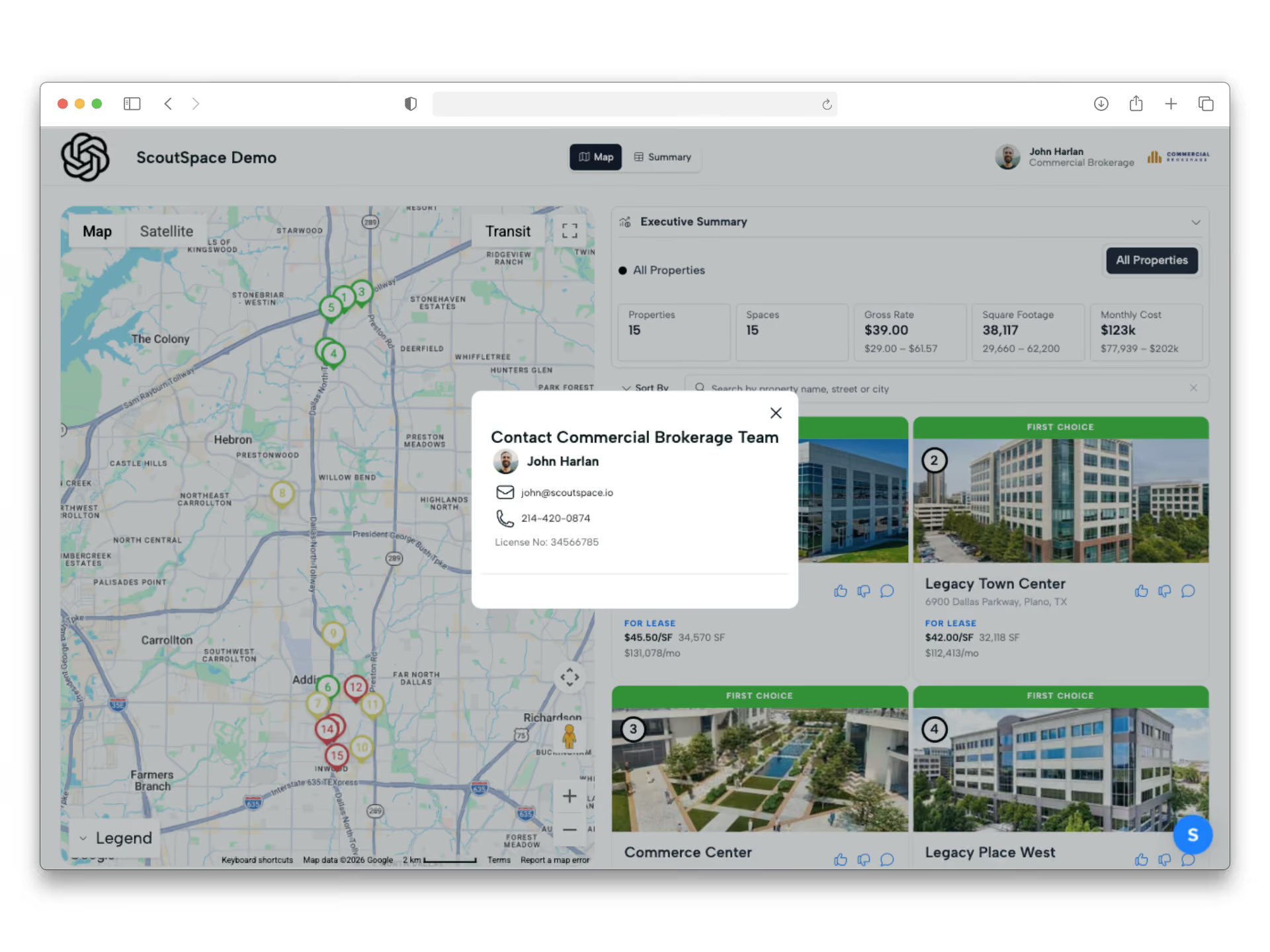
When your client favorites a space or leaves a comment, you see it instantly. Know exactly which spaces they're drawn to before the next call — no more wondering if the email landed.
Built for the way deals actually get done.
Invite a co-broker to edit alongside you. Invite the client to weigh in. Everyone works off the same live survey instead of a graveyard of email attachments named survey_v4_FINAL.pdf.
A leave-behind in one click.
When you need something printable, export the full survey to a clean, branded PDF — cover, map, property pages, marketing flyers, and all.
From requirement to shareable survey in three steps.
Add properties by importing a CSV, dropping in an existing PDF to auto-extract the details, or pulling them in with AI. Rates, OPEX, sq ft, lease terms, photos — without retyping a thing.
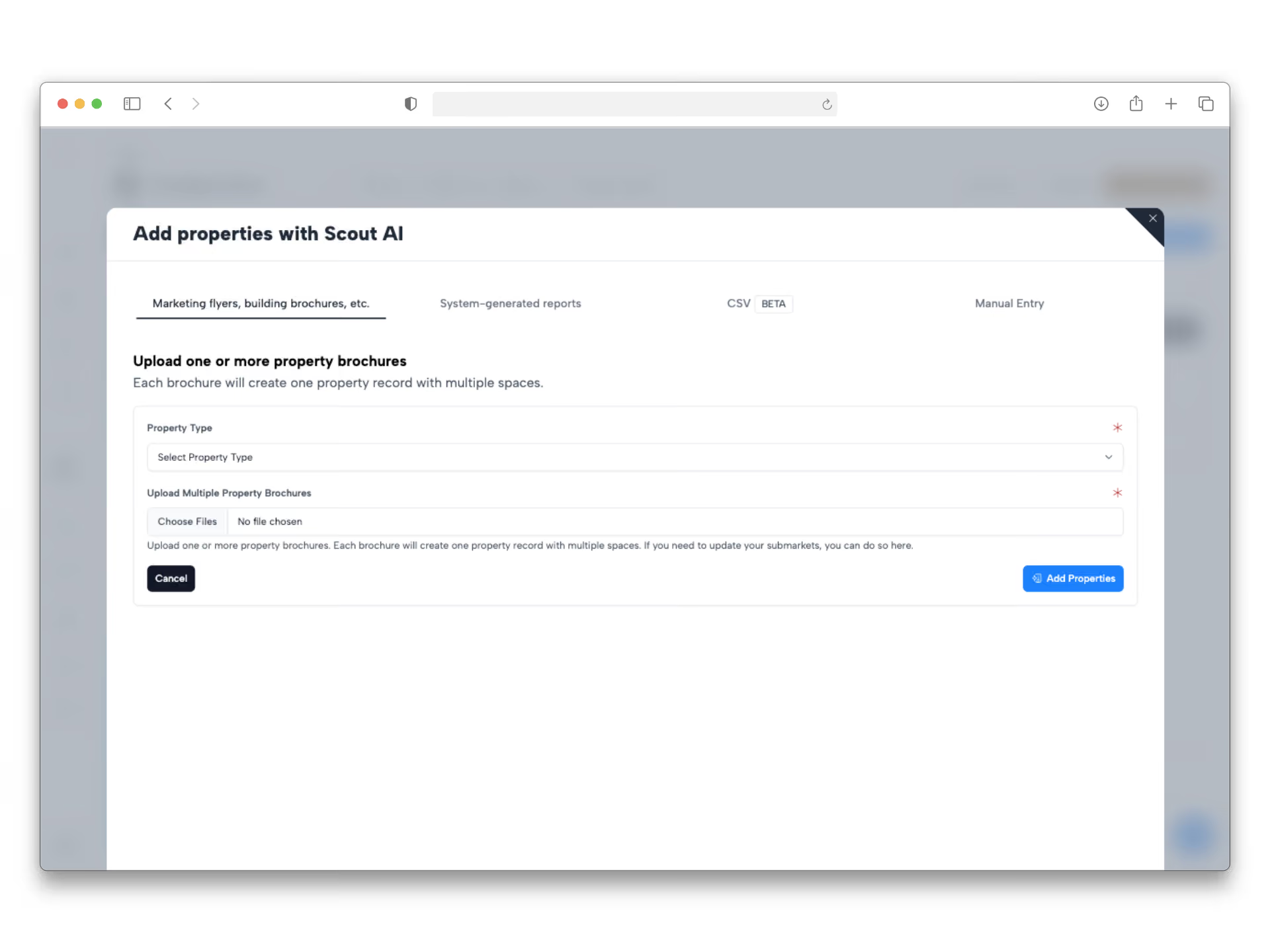
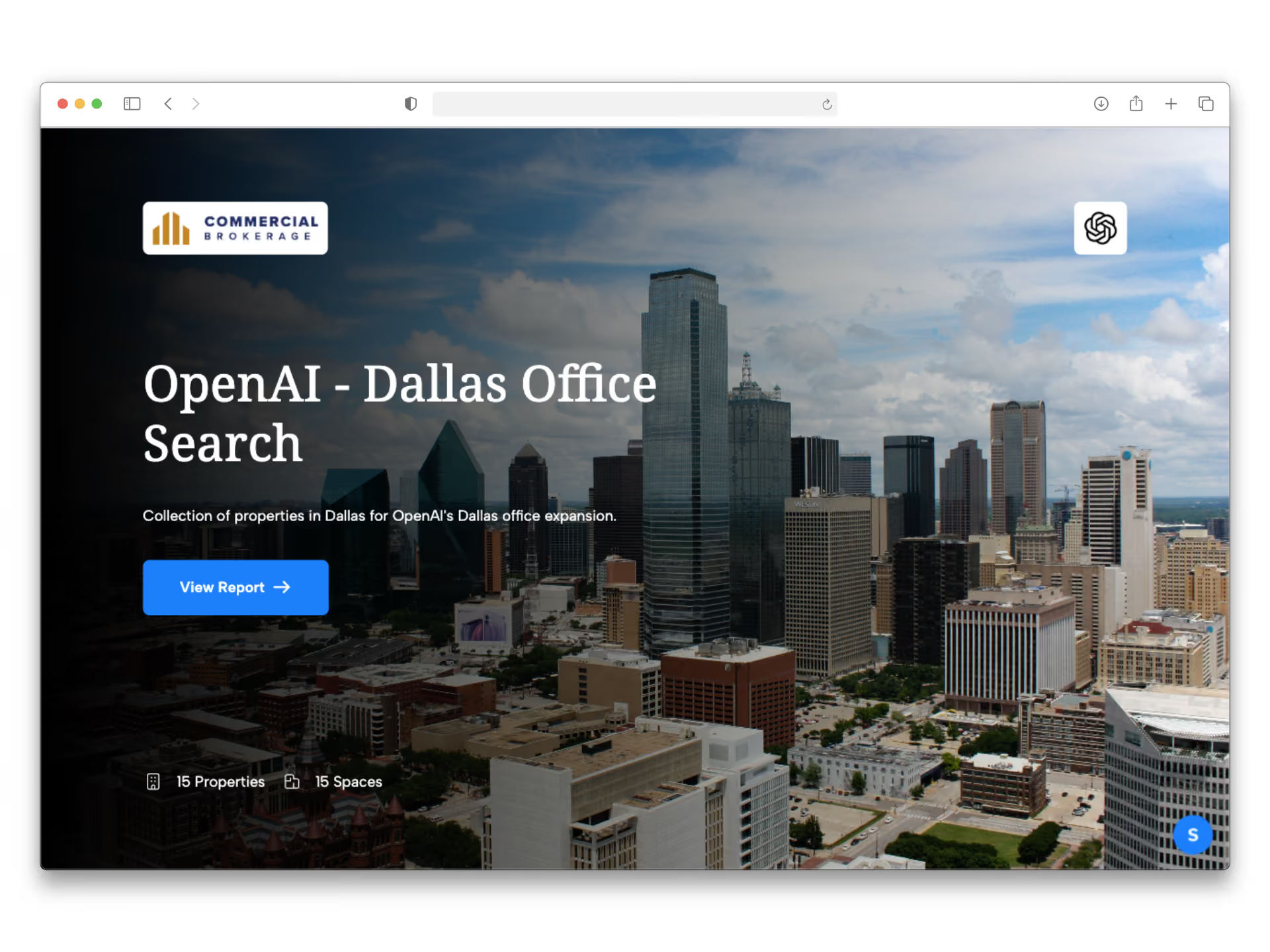
Customize the cover, drop in your branding and theme colors, choose which columns your client sees, and arrange the summary table. Plot every space on an interactive map.
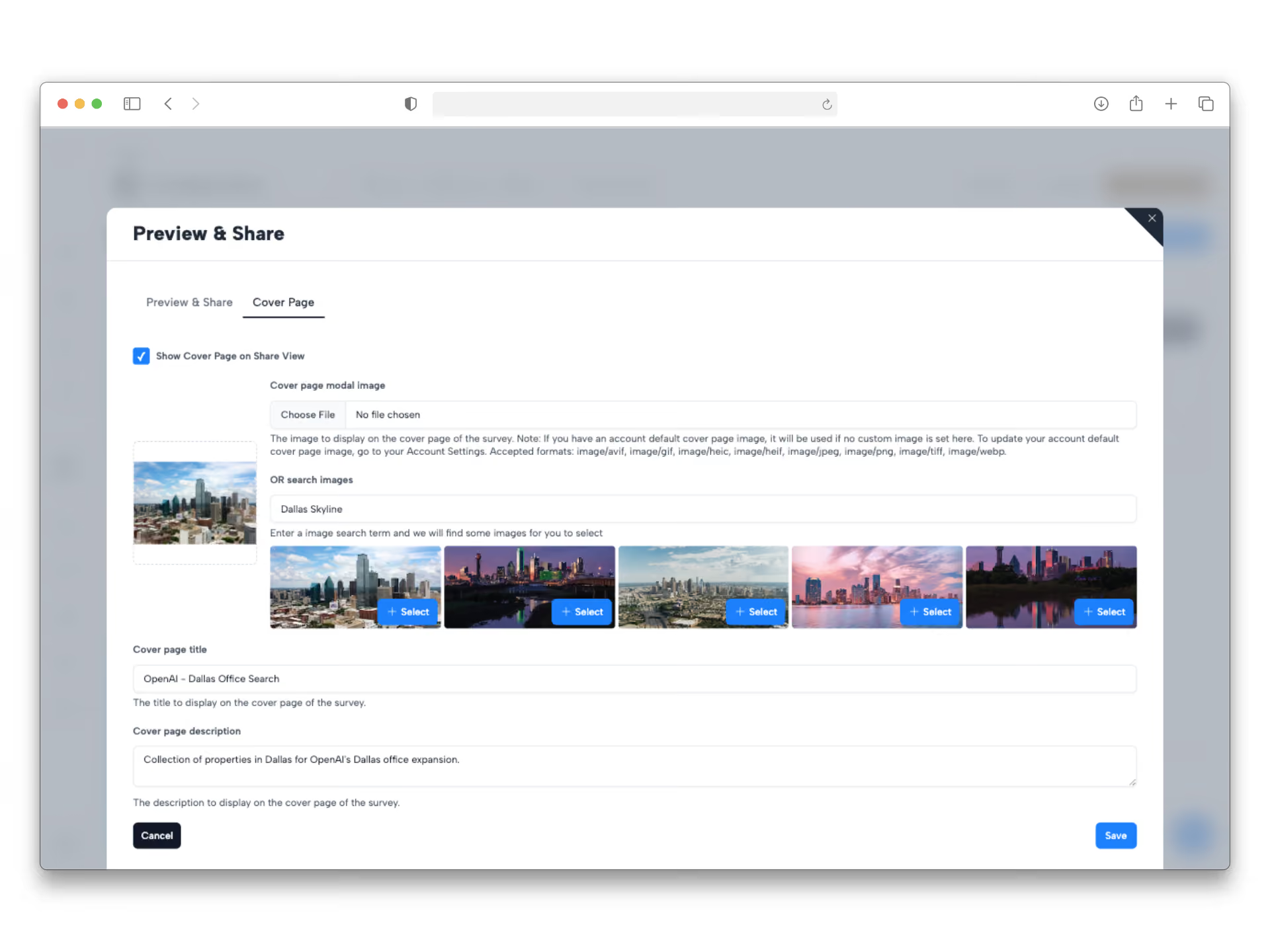
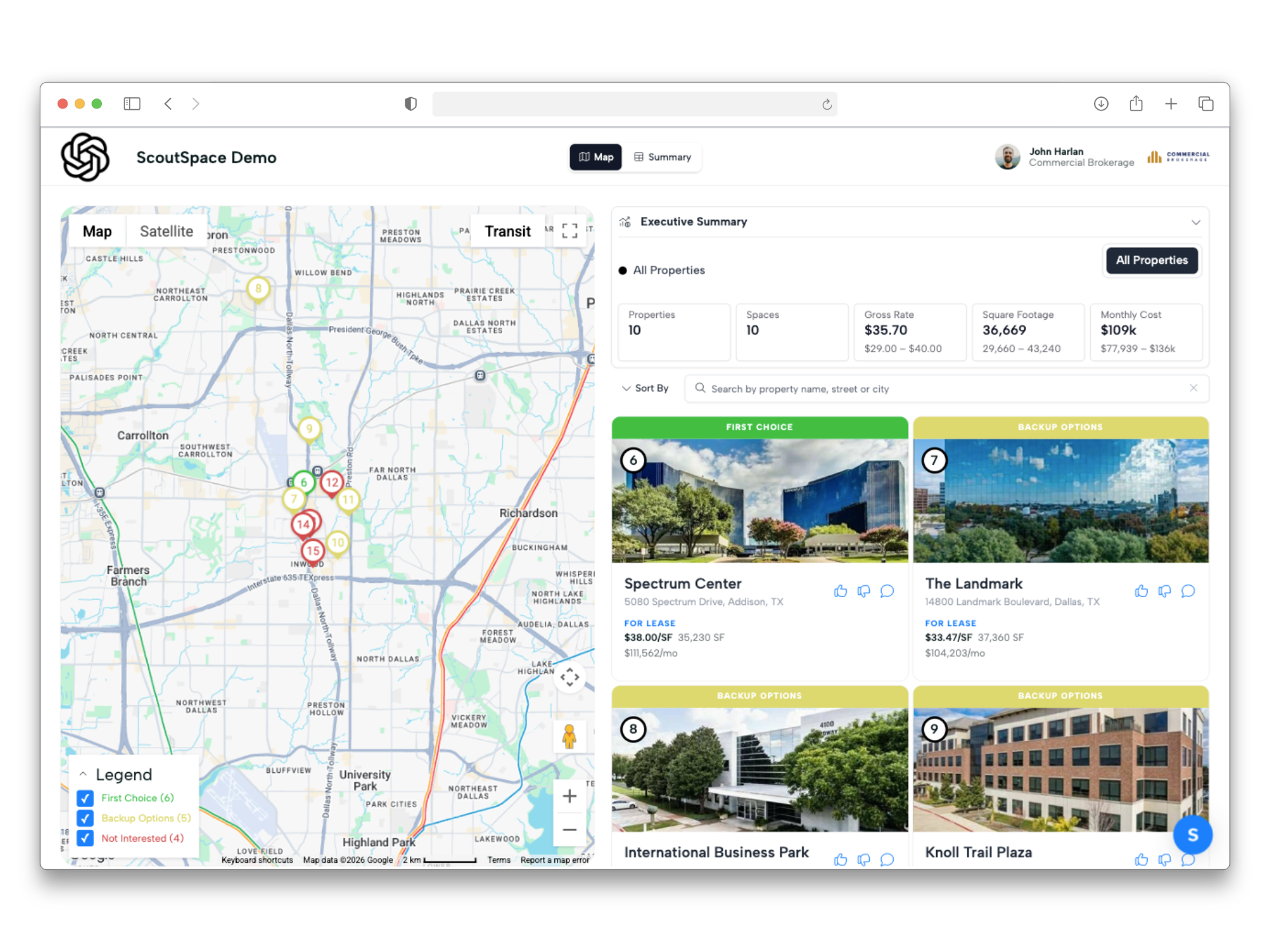
Send one link — password-protected if you want — and let your client favorite spaces, leave comments, and explore the map. Need a leave-behind? Export to a polished PDF in one click.
Everything you need to win the requirement.
One survey handles the whole deal — from the first map view to the final leave-behind.
One survey. Every space. One map.
Every property in the requirement, plotted and color-grouped on an interactive map with transit overlays and points of interest. Your client stops reading a list and starts seeing the market — where the spaces are, what's nearby, and how they compare.
The data does the selling.
Base rate, gross rate, OPEX, taxes, term, expiration, TI, square footage, parking ratio, walk and transit scores — organized in a clean summary table you control. Show what's relevant, hide what isn't, rename columns to match how you talk to your client, and export to CSV anytime.
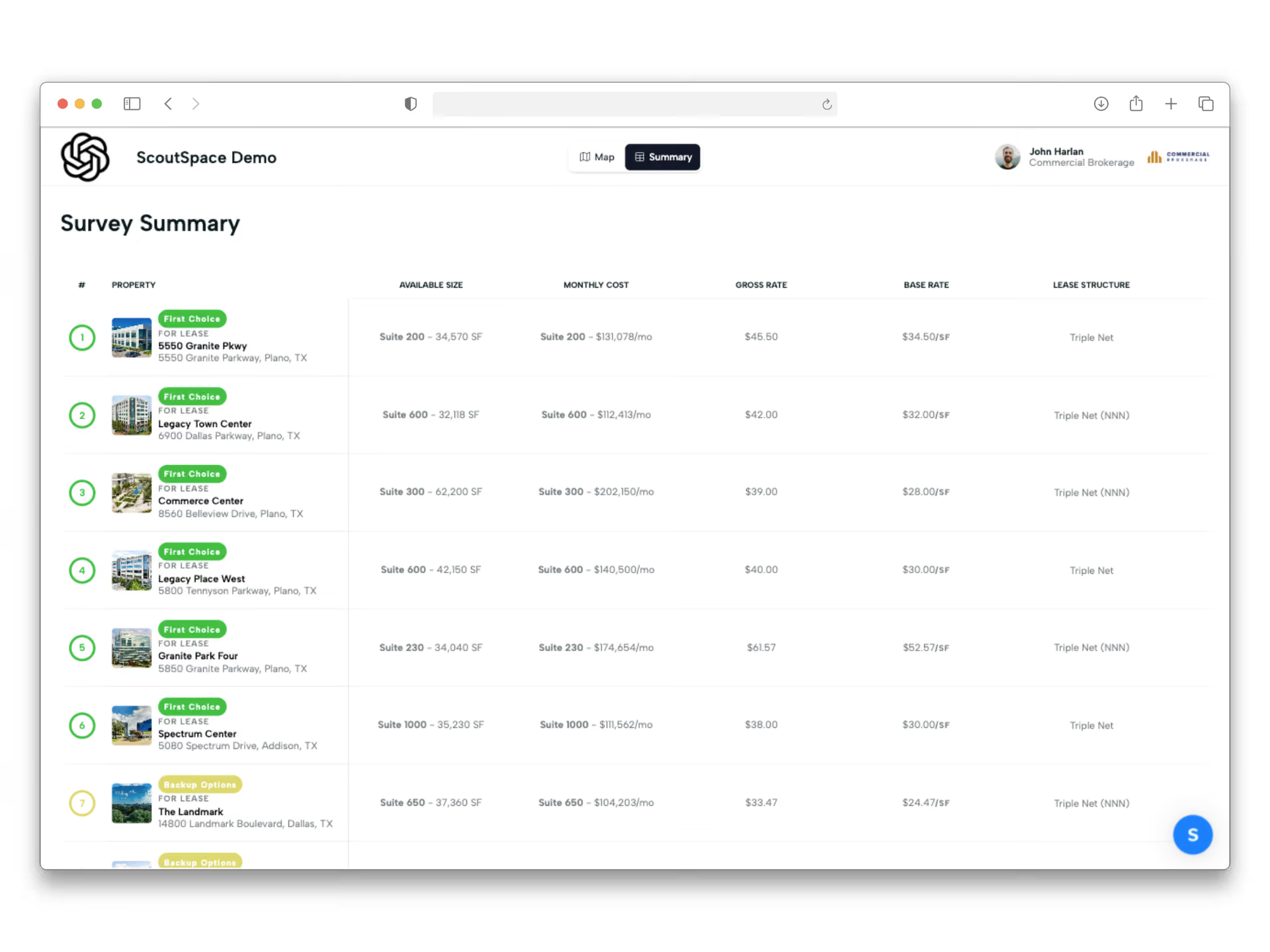
Branded like it came from you, because it did.
Custom cover page, your colors, your logo, your story. Every survey looks like a deliverable from your shop — not a template everyone else is sending.
Frequently Asked Questions
Can I control what my client sees?
Yes. Choose which columns and data points appear, rename labels to match how you speak with your client, hide what's not relevant, and password-protect the share link.
Can my client interact with it, or is it just a PDF?
Both. Share a live, interactive link where clients can explore the map, favorite spaces, and leave comments — or export a polished PDF when you need a leave-behind.
How long does it take to build a survey?
Most brokers go from requirement to shareable link in under 30 minutes. Import a CSV or an existing PDF and the property details populate automatically — no reformatting, no hunting for photos.
People Are Talking
“
The client-facing experience finally matches the quality of our advisory work. Clients feel it right away.
“
The client-facing experience finally matches the quality of our advisory work. Clients feel it right away.
“
ScoutSpace helps us present ourselves as polished, professional, and ahead of the curve.
Your next requirement deserves a better survey.
Build your first one free — no card, no setup call.